Saturday, November 30, 2013

Linus Torvalds on Teaching Children to Program


Linus Torvalds in this less than 3 minute video clip gives a great answer to a question about teaching children how to write computer code. He specifically mentions the Raspberry Pi as having the attractive property of being cheap enough to throw away. I've said before that if you persuade kids to try a computer programming course, some number of them will hate it, and will vow never to wrestle with computer software again. But there should be some who will decide this is fascinating and will pursue it further, perhaps making a career out of it.


http://www.youtube.com/watch?v=2KfJiWR1FPw


My conclusion is that an introductory programming course should therefore be short. I like Udacity CS101. It is nominally only 8 weeks at 5 hours of class time per week. It is self-paced and not on a fixed schedule. You may want to see my blog post: Is the Udacity CS101 Course Watered Down?


There are many possible ways to introduce computer programming. For example, you could pick a commercially important programming language, e.g. C or Java, and organize a course around learning that language. Or you could create/select a student language just for the students to get started with the concepts (Scratch, Logo, Basic, CUPL, ...) and teach that. I think Udacity CS101 chose wisely in picking a subset of Python. Python is a clean, powerful, multi-paradigm programming language that does see some real use commercially. Udacity CS101 doesn't visit all aspects of the language, but it does teach enough of it to give a good start at understanding the construction of computer programs. I believe it is much easier to get started in Python than in C or Java and that Python can carry you a lot further than Scratch, Basic or CUPL.


Another approach to introducing computer programming is to pick projects that are particularly attractive to students. Robots and computer games are two oft-mentioned examples. The parts and tools needed for a Robot-centered course call for a substantial investment ($10-$25 thousand per team is a working estimate I've seen on the web) and also requires comparatively large secure space to store the project, parts and tools. Real-time software that interacts with sensors and motors strikes me as more advanced material then a short introductory course should aim to cover. Games keep the work in the virtual world, so there's less need for parts and a workshop space, but interactive software with graphics is again, in my opinion, more advanced material that a short introductory course should aim to cover. Fair enough to stir into an introductory course a bit of foreshadowing to hint at how the material the course is covering can be extended to work in games or robots.


But I haven't any real experience teaching computer programming to students. I've been trying to launch such a course at the local community center here in the New Cassel section of North Hempstead, NY for well more than a year now, but it hasn't gotten off the ground yet. A shameless plug for yet another of my blog posts: Marketing the Importance of Programming Education. The comment thread on that article is, in my opinion, particularly worth reading.


A reminder: Blog sites such as this one are intended to be 2-way communication, not just reading material. Whether you are a student, teacher, programmer, experienced or inexperienced, you are invited to post comments about this article down below. Suggestions, counter-examples, criticism, pointers to other sites that said it better, and, of course, praise are all welcomed. Anything but spam.

Saturday, September 14, 2013

Bicycles for the mind... A Steve Jobs talk from long ago.

1980

In the Introduction talk to Udacity CS101, Professor Evans mentions Steve Jobs having compared computers to "bicycles for the mind".
I think I've now stumbled across the talk where Jobs more or less said that. Run time for the Jobs talk is about 20 minutes. The bicycle reference is around the 6 minute mark in the Jobs video. Evans attributed the quote to circa 1990, but the talk is said to be from 1980, and given Steve's youthful appearance in the video, I believe the 1980 date.


Speaking of small errors, one of the annoying things in Jobs talk is he speaks of meeting with some 4th and 5th graders, but he then calls them 4-5 year-olds. I think 9-11 year-olds would be a lot closer to correct. 20 kids and 6 Apple computers? What a depressing student/machine ratio that would be these days!


Jobs mentions Visicalc in his talk like that is something that everybody in the audience knows of. But here we are some 30+ years later and I'm no longer sure that you all know what Visicalc was. Happily, Wikipedia remembers. Even if you remember Visicalc, I recommend that you visit the Wikipedia page. It has some wonderful interesting links, including one that lets you download a free copy of Visicalc for your x86 Windows PC. That version was written for DOS 1.0 so it only works within the current directory. DOS 1.0 didn't have directories, just disk drives. Most folks back then didn't have disks with any more capacity than a 5.25" floppy disk. In 1980, that would have maybe been 140KB of storage space.


One other link to particularly take note of is the one that asks "What if Visicalc had been patented?". If you haven't been paying attention to the arguments about software patents and why they are not good for the economy, you really should Google up some background reading for yourself, maybe sit through a Richard Stallman talk or 2 about "intellectual property". Be forewarned that Stallman's talk is a 2 hour talk, so take a bathroom break and get yourself a fresh mug of coffee, tea, or whatever before you fire up the Stallman talk.


If I'm going to mention Steve Jobs and Richard Stallman in the same blog post, it is probably appropriate for me to point also you to this short video where Stallman contrasts his own accomplishments vs. those of Jobs and of Bill Gates.

Time marches on, but progress?

Listening to Jobs 1980 predictions for what the heck we'd do with even more computing power, I can't help but be disappointed with how little real progress we've made on that front. The computing power has, of course, materialized as predicted, and I suppose the graphical user interfaces of Windows, MacOS and web browsers is something of a usability improvement compared to DOS 1.0, but I was sending e-mail and posting netnews items aplenty back in 1980 and it isn't like that process is hugely different today. To keep things in perspective, the Macintosh computer was introduced in 1984. Here's an early 1984 video of Steve Jobs giving a timeline leading up to the Macintosh. It's only about 7 minutes long and includes the famous "1984" teaser ad for the Macintosh; an ad still worth watching, in my opinion. Here's a 10 minute video of Steve Jobs actually introducing and demonstrating the Macintosh.


Still, if you have a problem that you want to solve with a computer, are the barriers to solving your problem significantly lower today or about the same despite the powerful GUI computers that are now available today? If there's an existing product that fits your needs ("there's an app for that"), your path is easy, but if you really need custom software, perhaps a custom database, I expect you still have a rough road ahead. "Cobol is to Visicalc as Y is to Z", but what are Y and Z?


Comparing the Python language to the programming languages of 1980 (C, PL/I, Cobol, Fortran) I guess there's some evidence of our having learned to apply plentiful compute power to making the programming job a little easier, but there's still a steep hill to climb to bring computers to bear on your problem, whatever your problem might be. The Internet, the World Wide Web and search engines seems to be the most evident signs of progress in the computing world since 1980. I do wish the world had more progress to show on reducing the barriers to applying computers to solve problems given the passage of 30+ years since that Jobs talk. Are there specific improvements in the computing world that I'm overlooking here and not giving proper credit to? Should smartphones get mention or are they just scaled down screens with battery powered small computers.


If I was better at HTML, maybe I could rig this article to provide background music as you read the previous paragraph. Or am I being too sentimental about lack of technological progress?


If you are completely unfamiliar with Stallman's contributions to the notions of "free software", you might give a quick read of a past blog post of my own as a way to get started at understanding software licensing and Stallman's GPL in particular: See "Copied Code or Unfortunate Coincidence".

06/11/2014 - Updated: The Steve Jobs talk link went bad! Why didn't anyone tell me with a comment so I'd know? Anyhow, I found a link that works (today).

Tuesday, September 10, 2013

Control Engineering?

My Master's degree

My MSE is from U. of Michigan, Ann Arbor. As I previously explained in a STEM post, I was there in a program sponsored by Bell Labs called "One Year On Campus". Within a maximum of 12 months, it was a requirement for my continued employment to complete a Master's of Science, Engineering degree. The Labs imposed a few additional requirements on the courses I was to take. I was to take an information theory and communications course (modulation techniques, etc., etc.), a digital logic course, and I'm not sure what all else. My main interest was in studying computer science, but the University had a requirement that X% of your courses had to be from within the department of your major. For broad studies of computing, that was a problem as the computing courses were spread throughout the University. The digital logic, machine architecture and assembly language courses were over in the Electrical Engineering department. The computer graphics courses were in the Industrial Engineering department. Operating systems, higher level languages and compilers were in the Computer Science department. Database courses were way over in the business school. So, the Engineering school created the "CICE - Computer, Information and Control Engineering" department to cross list all of the above courses. By majoring in CICE, I was able to take a broad variety of computing courses and still meet that X% within my major department requirement.


So much to do and only a year to do it. So, I admit that the edge of the CICE curriculum where I did not fit in many courses was control engineering. I had some exposure to it, but just enough to hum along if someone decided to sing about the subject. I couldn't even confidently promise to you a competent explanation of the topic if you asked me about it.

TED talk/demo of control engineering

So, I was excited today to find a most excellent TED talk demonstrating control engineering with a set of "Quad copters". The talk has some very impressive demonstrations of software control of the copters. I could wish for a more technical explanation then they offered. I'm not at all sure how many processors of what kind they used to track and control the copters. I'm pretty sure there's more real-time computation going on there then would comfortably fit into one processor, but that's just my gut feeling and not based on any real experience.


And so, for your entertainment and to convey to you what the heck "control engineering" is about, I share with you Raffaello D'Andrea: The astounding athletic power of quadcopters from June 2013. Run time of the video is about 16 minutes.

Want to know more?

I did some mild Google searching to try to find the source code for the control programs, which I assume are likely to be "open source". I didn't find exactly what I was looking for. But I did find some useful info. There's a Wikipedia article about Quadcopters and from there, there are plenty of links to additional information. I found this article about the lab where they test their stuff to be interesting. I was heartened to learn that they do have a safety net to catch the falling copters when the software is still under development. The article does give me the distinct impression that they've developed custom hardware to do the control algorithms fast enough. That is a potential major obstacle for a casual hobbyist who wants to play. If the Wikipedia article doesn't give you enough leads to follow there's an existing Pearltree specifically about quadcopters. I did find some open source (Arduino controller) quadcopter projects. e.g. this one and another one.


If you try your own Google searches, be careful about people in other fields of research with names similar to Raffaello D'Andrea. e.g. I found a biology PhD candidate at U. of Michigan named Rafael D'Andrea - Not the same guy. Oh, and I did find some Cornell U. work in the field of quadcopters too: Autonomous Quadcopter Docking System. Oh my, on page 11 of that report, the guy strapped his Android Smartphone to the quadcopter to add a camera to the configuration. That must have taken guts! (I wonder if he has the "Send me to Heaven" game on his Android phone? Not me!)


If you want to get into the math of control of a quadcopter, this looks like a reasonable place to start reading: Estimation and Control for an Open-Source Quadcopter. Or just sit back and enjoy the demo video that I pointed to in the previous section. Not everyone has to be a DIY engineer with amazing toys.

Monday, September 9, 2013

The public does remember scandals, even in NYC?

I'm writing this the night before the NY primary elections. A couple of the current races had been troubling me. One is the Democrat's field competing to be on the ballot for mayor this November. The other is the Democrat's field competing to be the NYC Comptroller on the ballot this November. How could Anthony Weiner and Elliot Spitzer be regarded as serious candidates after they'd been thrown out of previous high-office positions for plenty good scandalous cause.

Background

In case you have been sleeping under a rock or perhaps simply aren't from the NY area, here's a quickie background on these candidates.


Spitzer, a married man, was a well regarded governor of the state of NY 2007-2008. But then it was discovered that he was paying huge sums for the services of high priced prostitutes. It was widely reported, his wife stood by her man, and then he resigned from office under fire. He resigned from office rather than risk getting dragged through impeachment proceedings.


Far as I can tell, Spitzer was never prosecuted nor convicted on any of the charges, but I've seen nothing to so much as imply that he is anything less than 100% guilty of exactly what he was accused of.


Weiner, also a married man, was a U.S. congressman representing Manhattan's 9th district from January 1999 to June 2011. But then it was discovered that he was sending photos of his private parts to various women. Amid all the hoopla, he resigned from office.


I'm not upset with these guys resigning from office, though I do wonder about how no one bothered to prosecute them for their misconduct. But the huge shock to me is that they would then have the nerve to throw their hat into the ring to run for public office again. My one comfort is that recent polling numbers show both Spitzer and Weiner trailing in their races, so maybe their comeback attempts are ill-fated after all. Goodness knows the late-night talk shows have been having great fun with those candidates, especially with Weiner.


So, not much longer to wait to see if these comeback attempts fail as clearly as they deserve to fail. From my point of view, neither of these guys should have embarrassed us by running for office again. Or am I just being an old fuddy-duddy?

Election Night Update 09/10/2013

Well, the polls for today's primary election have closed and results indicate that Weiner came in a distant 5th place in a field of 5 candidates. Weiner got 5% of the vote. Bill Deblasio got 40%, just enough to win the Democratic ballot slot for NYC Mayor without needing to campaign for a run-off election in 3 weeks. (40% was the magic number to avoid having a run-off of the top candidates in the Primary voting).


Spitzer also lost with Stringer winning the race for the Democratic ballot slot for NYC Comptroller, but just barely. I was happy to see Spitzer lost, but would have been happier to see him handed a more decisive defeat. "Name recognition" is valuable when trying to get votes, though Weiner shows there are limits.


Perhaps it mattered that during this campaign, Weiner asserted that his checkered past was now behind him, but then the whole "Carlos Danger" brouhaha hit the fan during his comeback campaign. Maybe the difference was that there was no fresh scandal from Spitzer, just the old scandal that at least some folks have not yet forgotten.

Wednesday, September 4, 2013

SOLID software design...

My hopeless backlog

One of the bad habits I have is accumulating lists of things to read. Google Reader used to be a handy place to categorize and keep my "subscriptions" to blogs and so forth to read. Unfortunately, Google pulled the plug on that service in July. Fortunately, another web service, theoldreader.com provided a very similar free service. In fact, their service was designed to look like an earlier version of Google Reader. Some time ago, Google removed some "social" aspects of Google Reader and the change irked some of their users. theoldreader.com sprung up to undo the perceived damage of Google's changes. When Google announced the planned demise of the Google Reader service, Google at least was kind enough to provide a mechanism for retrieving my list of subscriptions, so I opened a free account with theoldreader.com and submitted my subscription list. But so did a zillion other people, so it took literally weeks for the site to get around to processing my subscription list. In the fullness of time, they did get the subscriptions into their system and it seemed usable enough, but then their servers crumbled under the newly stepped up load. (Well, I think that the story is more like they made changes to beef up their servers and in making the changes someone tripped over a power cord or something). More days and days of noticeable downtime before things got back on the air and seemingly stable again.

My point in mentioning Blog subscriptions is that the universe conspires to generate "interesting" blog articles faster than I manage to read them. "Another day older and deeper in debt...". My backlog of unread blog articles is quite hopeless, but whenever I have nothing much to do, instead of turning on the boob-tube in the living room, I fire up theoldreader.com in my browser and try to read up on what I've been missing.

If you've got your own solution to tracking new blog articles, I hope my blog here is on your subscription list. If not, please take a moment to sign-up my blog onto your list. Go ahead and do it now. I'll wait for you to get back. (Full disclosure: No one has ever told me of positive or negative experiences from subscribing to my blog with their favorite RSS tool. I'm assuming that blogspot.com does the right thing, but if you run into a snag, I'd sure like to hear about it).

Emily's "Coding is Like Cooking" blog

One of the blogs that I do try to keep up with is from an expert on test-driven-development (TDD) named Emily Bache, an Englishwoman who now lives and works in Sweden. Her blog is called "Coding is Like Cooking". I like it because it tends to be quite well written and covers relatively recent software development topics that I might otherwise miss out on. i.e. Stuff that I didn't learn in school back in the days when Structured Programming was still somewhat controversial, and that I didn't pick up by osmosis in the later years of my employment at Bell Labs. I freely confess that Test-Driven-Development wasn't part of the quite informal methodology that "we" in Math Research were following. The mathematicians tended to find the underlying math of the problems far more interesting then the structure of the code. I also found myself unexposed to a great mentor for Object-Oriented-Programming. Java got some use in our projects, but I knew enough to recognize bad use of the language when I saw it. So, now I'm retired and still have much to learn. The web has no shortage of material for me to learn from and by reading Emily's articles and saying "Huh?" when something comes up that isn't at all familiar to me, I find lots of great stuff to learn.

One of my "Huh?" moments came from her mention of the "London School". I followed her link and picked up a book for my Amazon book Wish list: Growing Object-Oriented Software, Guided by Tests

SOLID Principles and TDD

So today I was reading an article of her's from September, 2012, SOLID principles and TDD. I didn't get very far into it when my brain complained "Huh? What does she mean by SOLID?". So I opened up another window thanks to a link she provided and read the Wikipedia article on SOLID. It isn't a particularly excellent Wikipedia article. It is dense with off-putting terminology - might be the fault of the SOLID acronym and not really the fault of the article - I've got to forgive the Wikipedia article because it has some excellent links to reference material.

Uncle Bob's principles of Object Oriented Design

One of the links from Wikipedia that I followed was http://butunclebob.com/ArticleS.UncleBob.PrinciplesOfOod. Still more links to clarify the mysterious-to-me parts of that SOLID acronym. This summary article looks especially good: http://www.objectmentor.com/resources/articles/Principles_and_Patterns.pdf.

And just to make sure I don't run out of things to read, there's a book mentioned and even recommended by another reader - Agile Software Development, Principles, Patterns, and Practices that I've added to my Amazon "Agile" book wish list to remind me I really need to take a look at it.

In closing...

So, my situation is quite hopeless if the goal is to finish reading the stuff on my list. If I'm reading anything interesting, it tends to add more things to my list. And that doesn't even count the time to actually try the tools and techniques that I'm reading about. I hope you found some of this material interesting enough to add to your own read-and-try list. I guess I have a bit of a sadistic streak to want to inflict my backlog on other folks.

Learned anything interesting lately?

Saturday, August 31, 2013

Out of the Box Thinking - 3D Printers in Space

It is fairly standard advice that if you want to come up with a new solution to a problem, you have to look at it differently. You need to think outside of the box of conventional solutions.


Background

For a while now, I'd been following the growing interest in 3D printers. If you're unfamiliar with them, see my Pearltree on the topic - a shared collection of links to web pages where you can read more about the topic. Short version: A 3D printer is a device that typically extrudes some material (e.g. melted plastic) under computerized control of the position of the nozzle to create a specified object on a platform in a box.


Prototype of a planned 3D-printing spiderbot for construction of buildings on earth. Image borrowed without formal permission from this site.


3D-Printers in Space

From time to time I've read mention of NASA being interested in using 3D printing in space to create replacement parts instead of having to wait for delivery. The FEDEX delivery truck doesn't come by the International Space Station very often. So, I thought, that's interesting. I wonder to what unintended extent the commercial 3D printers depend on gravity. I haven't thought it through, but won't be surprised if it turns out some engineering revisions are needed before a 3D printer designed to work on earth will work properly in a zero-gravity environment. If nothing else, the absence of natural air convection with hot air rising and cold air descending, perhaps will require the addition of forced air cooling to the 3D-printer to be used in space (assuming the printer will reside in a pressurized area where there is air). Cooling times for materials extruded in the vacuum of the great outdoors of space are a whole other thing that needs to be thought through.


And then today I came across this article from the Verge web site, reporting on some plans by NASA to "3D Print" large structures in space. Plenty more questions than answers at this point, but it is clear that I have been guilty of literally confining my thinking about 3D-printing in space to literally be inside the box. The job of the box of a 3D-printer is mostly to support the print mechanism and to provide a frame of reference within which the printer head will move. But in space, with zero gravity, you don't need anything to hold up the printing mechanism. Perhaps a finely adjusted GPS mechanism and laser range-finder can be used to guide positioning of the extruder, and small thrusters can move the extruder from point to point. Once you've literally gotten out of the box, you can think about 3-D printing really large objects, such as rigid beams to hold together gigantic solar arrays - Objects far larger than you'd likely be able to consider launching into space preassembled from the ground.


Seems to me that the hard part is still going to be getting the raw materials (and thruster fuel) into space. Perhaps really large structures fabricated in space will depend upon the hypothetical space elevator to lift materials to orbit for relatively low cost. Of course, if you can lift relatively large things to orbit, an engineering alternative would be to lift prefabricated sections to orbit and then have construction robots that assemble the pieces into the desired large rigid beam structures. Of course, if you can figure out how to 3D-print the desired structures without needing material from earth that might tip things in favor of space-based 3D-printers, but I'm not at all sure how you'd go about fabricating anything from moon dust or the materials of asteroids.

Acknowledgement

Thanks and a tip of the hat to Nuno Cravino for sharing the link to the Verge article on the Google+ STEM Community. It is always good to see reminders from time to time of the importance of thinking outside the box.


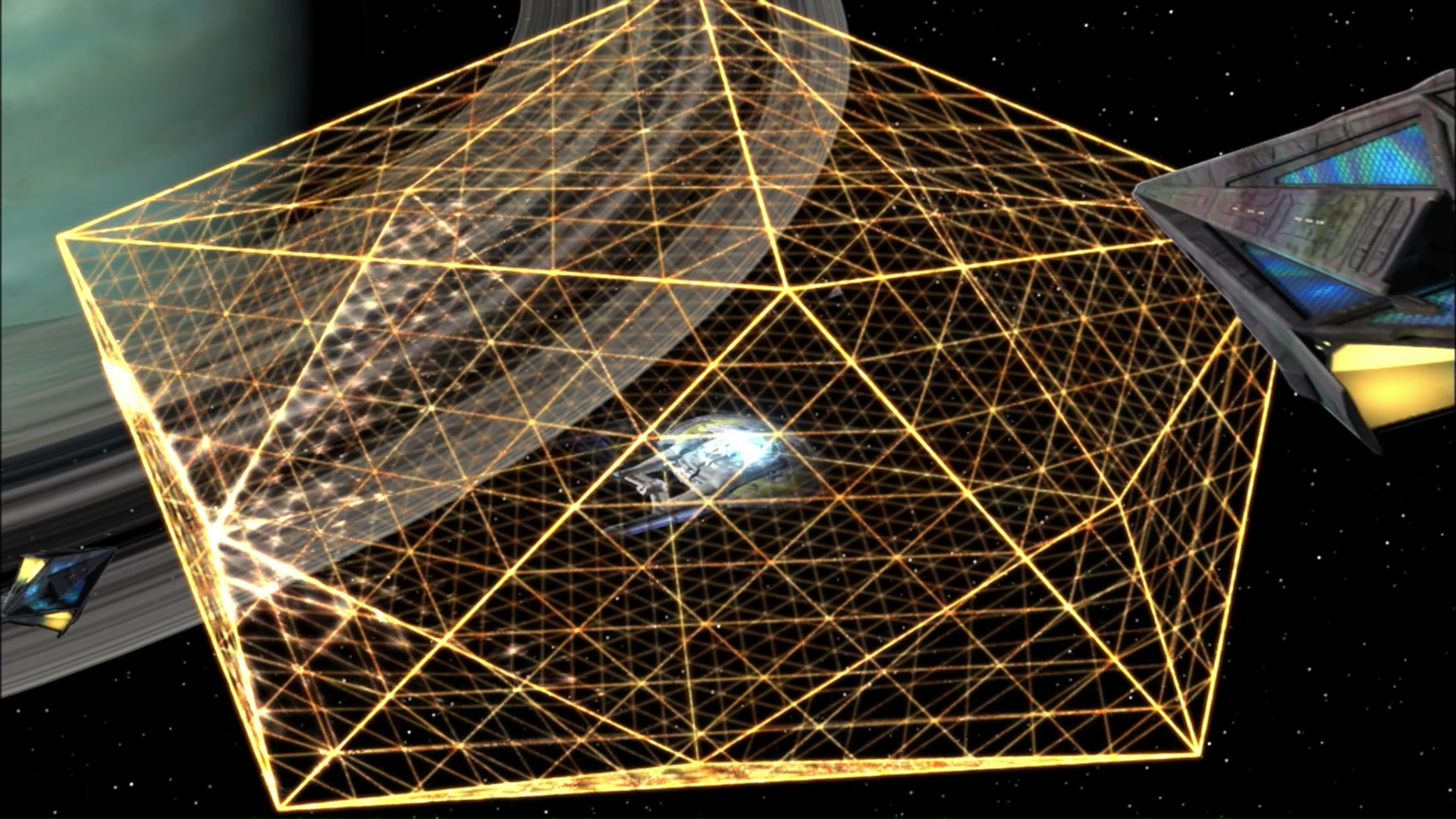
While contemplating the illustration on The Verge article, I remembered there was an old episode of Star-Trek where the Enterprise was trapped in a web-like structure. I'm pretty sure the web was made of energy beams, not solid extruded materials. Thanks to the Internet's excellent reference sites about Star-Trek, all I needed was a Google Search for:


    star trek enterprise caught in a web


to find that was Season 3 Episode 9, 1968's episode "The Tholian Web".


Image borrowed from Memory Alpha.org, the Star Trek Wiki.


imdb.com says there was an actual on-screen mention of the Tholian web in an episode of Futurama.

Wednesday, August 28, 2013

Learn How to Program Computers!

Say What?

News photo of an experimental self-driving Volvo from Engadget report.


Computer procesors show up almost everywhere these days. Desktops, laptops, cell phones, processors embedded in cars, processors embedded in printers, embedded in cameras, embedded in dish-washers.


One thing that they all have in common is that someone (or some team of folks) had to develop a set of instructions to guide the computer to do whatever it is that it does. Those instructions are called programs, software, and the stuff that goes into a program is called "code", not to be confused with "secret codes", though there is a connection if cryptography is what interests you.


So, no matter what, you are pretty much fated to be a user of computer programs, but with some effort on your part, you can learn to write your own computer programs too. Creating a computer program is called "software development". You can learn to do software development on your own. I'll caution up front that seriously big projects generally are tackled by teams, not individuals working solo. But the longest journey starts with but a single step.


My intent here is to convince you that you should embark on the long journey of learning to program computers, to do software development.

Motive

There are plenty of reasons why you should learn how to program computers. Before you begin on that path, you might want to think about what your motive is. Are you hoping to write your own computer games? Want to understand Cyberwarfare before you are noted as a threat by Skynet? Interested in autonomous robots? Self-driving cars? Want to develop a fancy web site of your own? Thinking it might be a useful skill when seeking a serious job? Want to understand how the NSA accidentally intercepted calls from Washington, DC, when they meant to intercept calls from Egypt?


I can't tell you what motivates you. I will caution that this is no short trip, so you should probably be sure you are well motivated before you dive in.


I'll also mention up front that the early days of getting started with developing your own software can be frustrating. As you master the basics, a self-driving car may seem awfully far away. Part of my hope here is that I can convince you that if you keep your motive in mind, you can work through the steep initial learning curve.

Age restrictions?

In my opinion, there's no upper bound on the age when you can learn to program computers. If you are past retirement age, that might alter your own list of motives for learning, but it is no reason to refuse to give it a try.


Can you be too young to learn to program? Well, programming does generally involve reading and writing, so if you haven't gotten proficient at those skills yet, you may find it hard to get into software development. But then, how is it that you are reading this article? The US apparently has regulations that strongly discourage web sites from registering information for children under age 13, so if you are under age 13, it is important that you discuss your plans with your parent or guardian and have permission from them to get involved in online courses.

Cost?

If you have access to a computer with a good Internet connection, you probably have all that you need to get started. If you don't, then how is it that you are reading this article?


Of course, if you have money to invest in this project of yours, there are things you might want to look into. For instance, books. You can get plenty of materials for free here on the Internet, but sometimes it can be useful to have a paper document that you can bookmark, dog-ear, highlight and annotate. Don't feel you have to invest in books up front, but if you can find a good local book store, you may find that there are useful things to be found by browsing. Your local library may also be useful, though in my experience, the local library tends to be woefully short of current technical books. The good news is that if you can find titles worth looking at, perhaps from web searches of places like amazon.com, then most likely your local library can arrange an inter-library loan so you can examine the book without having to buy it first.


Of course, library books, including books borrowed on inter-library loans, need to be treated politely, not dog-eared, high-lighted and given marginal annotations. And they do have to be returned after a relatively short time. If you find a title that looks really well matched to your needs, that's where you just might blow your allowance on an order from an online book-seller, so you'll have a copy of it for your own. Amazon.com does have provisions for wish lists, sort of like bridal registries, so as you publically grow your list of titles you hunger for, you'll at least make it easy for folks thinking about getting you a birthday present or Christmas present.


Libraries can also be a great place for getting free public access to Internet-connected computers. You might find that there are administrative obstacles to your installing software development tools on the library's PC's, or even filters to protect you from the educational materials. Don't let those barriers stop you. Talk to the librarian to find out who is in charge of those kinds of filters. Most likely, arrangements can be made for good reasons like you have.

Courses?

There are many computer programming courses available on the Internet for free. "Massive Open Online Courses", MOOC's, featuring different programming languages and different levels of material. Some aim to serve particularly younger students. You might look, for example, for courses that introduce the "Scratch" programming language.


I haven't taken a "Scratch" course myself, so I'm not going to single out a specific suggestion here. Just try a simple Google search for:


    scratch programming course


and let us know in a comment which course you picked and why, and how that went for you.


But if you feel you are ready to learn a somewhat more conventional programming language, one that will take you further than I believe Scratch will, my suggestion is CS101 from Udacity.com, where you will learn to program using the Python 2 programming language.


The Python programming language continues to evolve. There are Python 3 versions available today. The world is still catching up to that. You'll be fine starting with Python 2, and learning the differences later on to get over to the newer versions. It is important that you know that there are multiple versions and that when you are shopping for books or tools that you get a version that matches what the course is expecting you to have.


There are other courses available, though I haven't tried the others myself. Certainly there are courses that teach Python specifically for game development. And there are plenty of courses that teach other languages, Java and C, for example. But in my opinion, CS101 from Udacity.com is a good place to start. It is free, self-paced, you work on it on your own schedule. Nominally, it is an 8-week course. It doesn't have pre-requisite other courses. I believe it is an excellent place to get started with MOOC's. There's a final exam at the end and when you pass it, they will e-mail to you a certificate to commemorate your accomplishment. There are reports on the web of real colleges that even give credits if you are a registered student and pass the Udacity.com CS101 course, but being a registered student at a physical college is outside the realm of stuff you can try for no charge.


If nothing else, trying a MOOC to get started will show you if this is a field that holds your interest. I know software development has been a long standing interest of my own, but I also know that some fraction of the students who try it find that they absolutely hate programming. If you find that's the case for you, my advice is that you tough it out to completion of the introductory course and then look for other fields that do hold your interest. It's only a couple of months to work through Udacity CS101, and it isn't anything like a full-time course load while you are working through just the introductory course. Getting the certificate isn't good motive to start the course, but perhaps it is a good motive to stick it out to the end.

Where to find more?

code.org is a web site that advocates that everyone should learn how to code. They offer 3 editions of a promotional video to promote interest in the field. One is a 1-minute teaser. Another is a 5-minute edition featured on their web site's front page. And if you have 10-minutes to spare, there is a full edition available.


There are links on the code.org site to various local places to learn to program. For example, there's a brief plug there for the "Yes We Can Community Center" here in Westbury, NY.


Details of the schedule are not yet nailed down for Fall 2013, but if you are local to here, one way to take on CS101 is to sign up with the Community Center. The Center has the computers and Internet access, and it will have other students so you won't feel too much that you are on-your-own. And, for what it worth, I'll be available to answer questions and help keep you motivated while you are working through the course online.


Not quite free, as there is a membership fee to sign up with the Community Center. But use of the basketball courts, game room and locker room and access to quiet study space for your homework time all come with that membership, so it's probably worth joining if this is your community. (Use of the fitness center is not included in basic membership. Sorry).


The schedule I've proposed is that Monday evenings we'd meet as a class to share discussion of progress and problems. Other school nights I'd be available to answer questions 7-9PM or by appointment.


In any case, you can try udacity.com CS101 on your own before we even get started and then continue at the Community center once we get our act together there. Please, do let them know at the front desk that you're interested in taking CS101 as seating is limited.

Free for Senior Citizens

If you are a resident of North Hempstead and are age 60 or more, you are eligible for free membership in Project Independence and get a free community center membership too when you join Project Independence. Such a deal!

Further reading

Benefits of Teaching Kids To Code That No One Is Talking About - This blog post by an online acquaintance of mine has an example of a Scratch program, and a link to a video of a talk by the creator of Scratch.


Is Udacity CS101 Watered Down - This is a blog post from me in December 2012, describing what you should expect to get out of the online Udacity CS101 course.


Where to Get Python - This is another blog post from me. This one describes how you can install Python on your own PC. Note that back when I wrote that, Udacity was still using Python 2.6, but the course has since updated it's software to Python 2.7. From an end-user point of view that's an almost imperceptible change.


There are numerous Youtube videos available about learning to program games. Here is Episode 1 of a series that is dozens of videos long. Part 1 shows off a couple of games the guy has written in Python and describes what prerequisite knowledge he expects you to have to get started with his tutorials.


This isn't the first time that I've written about plans for CS101 at the Community Center. For more details of my intended format for the weekly meetings, see my blog article: Marketing the Importance of Programming Education